

Description
Download Camera Pictures Restore – Reliable Image Recovery Tool for Memory Cards
Camera Pictures Restore is a specialized image recovery tool designed to rescue lost photos from camera memory cards. Whether a card was accidentally formatted, corrupted, or simply suffered an accidental delete, this software walks you through a straightforward scan‑and‑recover process. The utility focuses exclusively on image files, offering a clean, user‑friendly interface that lets you preview recoverable pictures and restore them with a few clicks. While no recovery solution can promise a 100 % success rate, Camera Pictures Restore consistently delivers high retrieval percentages when the underlying data sectors remain intact. Ideal for photographers, hobbyists, and anyone who values their visual memories, the program balances powerful scanning algorithms with a gentle learning curve, making it a go‑to choice for quick, secure photo restoration.
Key Features and Platform Compatibility
- Deep scan of FAT, exFAT, NTFS, and ext file systems to locate deleted JPEG, PNG, RAW, and TIFF files.
- Selective preview of recoverable images before committing to a restore, preventing unnecessary clutter.
- Batch recovery mode that lets you restore hundreds of photos in a single operation.
- Support for SD, microSD, CompactFlash, and XQD cards, covering most modern DSLR and mirrorless cameras.
- Built‑in integrity check that verifies file headers to ensure only intact images are recovered.
- Secure, read‑only scanning mode that guarantees the original memory card data remains untouched.
- Automatic updates that keep the scanning engine optimized for the latest camera file formats.
- Multilingual interface (English, Spanish, German, French, Japanese) for worldwide accessibility.
The application runs natively on Windows 10/11 (64‑bit) and macOS 10.14 or later. While there is currently no dedicated mobile version, the Windows and macOS builds can be executed on compatible Linux systems via Wine or a virtual machine, extending the tool’s reach to power users who prefer open‑source environments.
Installation, Setup, and Step‑by‑Step Usage Guide
Getting Camera Pictures Restore up and running takes just a few minutes. Follow these steps to ensure a smooth experience:
- Download the installer: Visit the official website and click the “Download for Windows” or “Download for macOS” button. The file size is under 30 MB, making it quick to fetch even on slower connections.
- Run the installer: On Windows, double‑click the
.exefile and follow the wizard prompts. On macOS, open the.dmg, drag the app to the Applications folder, and confirm any security prompts. - Launch the program: After installation, start Camera Pictures Restore. The first launch will prompt you to allow read‑only access to external drives – this is essential for safe scanning.
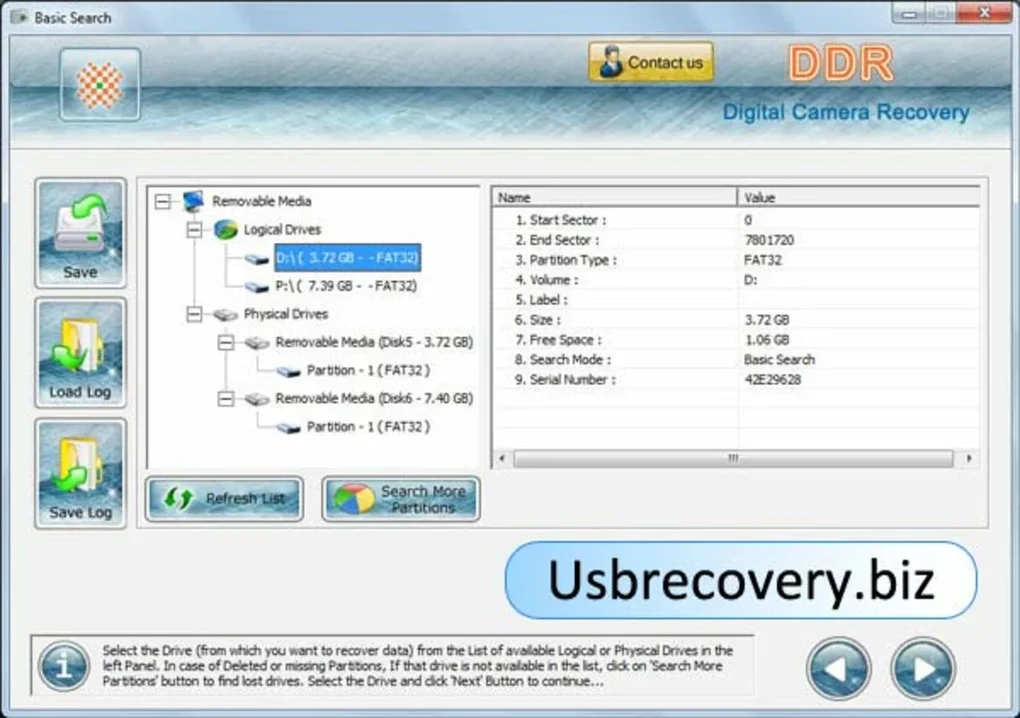
- Insert the memory card: Use a card reader or the camera’s USB interface. The software automatically detects the removable media and lists it in the “Select Device” pane.
- Choose a scan mode: You can opt for a “Quick Scan” (targets recently deleted files) or a “Deep Scan” (exhaustively checks the entire card). Deep scans take longer but yield higher recovery rates.
- Start scanning: Click the “Start Scan” button. Progress is displayed as a percentage, and an estimated time remaining appears based on card size and scan depth.
- Preview results: Once the scan finishes, thumbnails of recoverable images appear. Use the checkboxes to select individual photos or the “Select All” option for batch recovery.
- Recover files: Click “Recover” and choose a destination folder on your computer—**never** recover directly back onto the same memory card to avoid overwriting other lost data.
- Verify and backup: After recovery, open a few images to confirm integrity. It’s strongly recommended to back up the restored photos to an external drive or cloud storage.
Throughout the process, the UI provides helpful tooltips and status messages, ensuring even first‑time users can navigate the workflow without confusion. Updates are delivered via an integrated updater that checks for new versions each time the program starts, keeping your recovery engine current with the latest camera file structures.
Pros, Cons, and Frequently Asked Questions
Pros
- Specialized focus on image files yields faster scans compared to generic data recovery suites.
- Read‑only scanning protects the original card data, reducing the risk of further loss.
- Preview feature lets you confirm recoverable images before committing to storage.
- Supports a wide range of memory card formats and modern RAW file types.
- Reasonable pricing (one‑time $39.99) with a 30‑day money‑back guarantee.
Cons
- No dedicated mobile app for Android or iOS, limiting on‑the‑go recovery.
- Deep scans on large 256 GB cards can exceed an hour, which may be inconvenient for impatient users.
- Lacks advanced features like partition reconstruction or firmware‑level card repair.
Frequently Asked Questions
Can Camera Pictures Restore recover photos from a physically damaged card?
The software can only read data that the card’s controller can still access. If the card has severe physical damage (e.g., broken contacts), the tool may not detect any files. For such cases, professional data‑recovery services are recommended.
Is there a free trial available?
Yes, a 7‑day free trial lets you scan unlimited cards and preview recoverable images, but actual restoration requires purchasing a license.
What file formats are supported?
Common image types such as JPEG, PNG, TIFF, as well as camera‑specific RAW formats (CR2, NEF, ARW, RAF, and more) are fully supported.
Can I recover videos or audio files?
Camera Pictures Restore focuses exclusively on images. For video or audio recovery you’ll need a more general data‑recovery suite.
Is the recovered data safe from viruses?
The software does not execute any code from the memory card; it only reads file headers. As long as you download the installer from the official site, the tool is free from malware.
Conclusion – Should You Download Camera Pictures Restore?
In the realm of photo‑centric data recovery, Camera Pictures Restore stands out for its laser‑focused approach, intuitive UI, and reliable scan engine. If you’ve ever faced the heart‑ache of a missing vacation snap or a client‑shoot gone awry, this tool offers a practical, cost‑effective solution that avoids the complexity of full‑scale recovery suites. Its read‑only mode safeguards the original card, while the preview function lets you cherry‑pick the best shots before committing to storage. Though it lacks mobile support and advanced forensic capabilities, those are niche requirements that most everyday photographers won’t need.
Overall, the balance of features, ease of use, and reasonable pricing makes Camera Pictures Restore a worthy addition to any photographer’s toolkit. Click the download button below, run a quick trial scan, and see for yourself whether those lost memories can be brought back to life.
Guides & Tutorials for Camera Pictures Restore
How to install Camera Pictures Restore
- Click the Preview / Download button above.
- Once redirected, accept the terms and click Install.
- Wait for the Camera Pictures Restore download to finish on your device.
How to use Camera Pictures Restore
This software is primarily used for its core features described above. Open the app after installation to explore its capabilities.
User Reviews for Camera Pictures Restore 0
No reviews found





